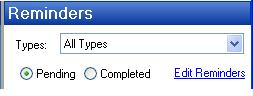
Reminders are a new feature that comes with the Greenshades Filing and Payment Center that are used to keep track of filing and payment deadlines throughout the year. You should configure the reminder system to accurrately display the filing and payment deadlines that apply to your company. While default reminders may be loaded, they are not guaranteed to apply to your specific company correctly. You are responsible for setting up the reminders based on your company's specific filing and payment deadlines.
To see a listing of all the reminders on your system, click the 'Edit Reminders' link below the filter box.
Clicking the 'Edit Reminders' link will bring up a listing of all the reminders that are currently set up within your system. This listing will contain information about each reminder installed on your system along with whether or not it is enabled.
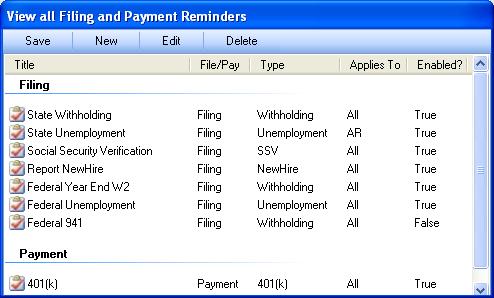
If you wish to permanently delete a reminder, you may highlight it and press the 'Delete' button. You may use the New or Edit buttons to create new reminders or edit current reminders, respectively. When finished, press Save to return to the Greenshades Center.
If you wish to get more information about creating a new reminder, please
view the article on Creating
Reminders.
If you wish to get help when editing or disabling an existant reminder, please
see the article on Editing an Existant
Reminder.